Where Are Your Files Physically Stored in the Cloud?
Apr 15, 2026 06:09 PM
Leandro Neto
Where Are Your Files Physically Stored in the Cloud?
When people upload files to the cloud, it often feels like those files disappear into an abstract, invisible space. The term “cloud” itself reinforces that idea. In reality, there is nothing abstract about it.
Every file stored in the cloud exists on physical hardware located in real-world facilities. Understanding where and how your data is stored is essential for making informed decisions about security, performance, and reliability.
The Cloud Is Made of Data Centers
Cloud storage is powered by large-scale facilities known as data centers. These are highly secure buildings filled with servers, storage systems, and networking equipment.
Inside a data center, your files are stored on:
- High-capacity hard drives or SSDs
- Distributed storage systems across multiple machines
- Redundant infrastructure designed to prevent data loss
These facilities operate 24/7 and are engineered to handle massive volumes of data from users around the world.
What a Data Center Looks Like
A data center is not a single computer. It is a complex environment that includes:
- Thousands of interconnected servers
- Cooling systems to prevent overheating
- Backup power supplies
- Physical security measures
- High-speed network connections
Each server stores small portions of data, which are combined and managed by software to ensure efficiency and reliability.
Your Files Are Not Stored in One Place
One of the most important aspects of cloud storage is distribution.
When you upload a file, it is often:
- Split into smaller pieces
- Stored across multiple servers
- Replicated in different locations
This approach improves:
- Data durability
- Access speed
- Protection against hardware failure
Even if one server fails, your file can still be reconstructed from other copies.
Geographic Distribution of Data
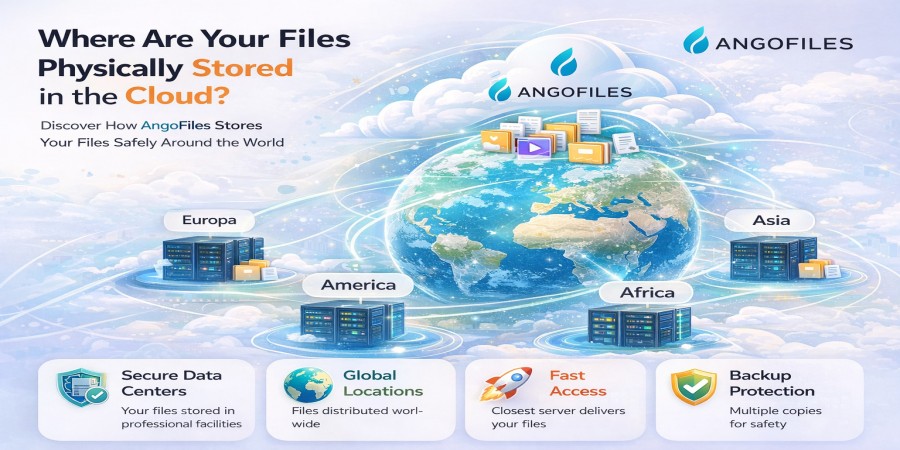
Cloud providers store data in multiple geographic regions. This means your files could be located in:
- Different cities
- Different countries
- Multiple continents
This distribution helps reduce latency and ensures that data remains available even if one region experiences issues.
However, it also raises considerations about data privacy and jurisdiction, depending on where the data is physically stored.
How Data Is Kept Secure
Physical storage is only one part of the system. Security is built into every layer:
- Encryption protects data at rest and in transit
- Access controls prevent unauthorized usage
- Monitoring systems detect suspicious activity
- Redundant backups prevent permanent loss
These measures ensure that even though your data is stored remotely, it remains protected.
What Happens When You Access Your Files
When you download or view a file from the cloud:
- Your request is sent through the internet
- The system locates your file across its storage network
- The data is reassembled if it was distributed
- The file is delivered back to your device
All of this happens in seconds, giving the illusion of instant access.
The Role of Redundancy
Redundancy is a key principle in cloud storage. Your files are typically stored in multiple copies across different systems.
This ensures:
- Protection against hardware failure
- Continuous availability
- Data recovery in case of system issues
Without redundancy, cloud storage would not be reliable at scale.
Why Physical Location Still Matters
Even in a digital world, physical location has real implications:
- Distance affects speed and latency
- Local laws affect data privacy
- Infrastructure quality affects reliability
Knowing that your files are stored in professional data centers not floating in a “cloud” helps clarify how the system actually works.
Conclusion
Cloud storage is not virtual in the way many people imagine. Your files are stored on real machines, inside secure data centers, often distributed across multiple locations for safety and performance.
The “cloud” is simply a layer of abstraction that makes this complex infrastructure easy to use.
Store Your Files with Confidence
With AngoFiles, your files are stored on reliable infrastructure designed for performance, security, and availability.
Upload your files, generate secure download links, and access your data from anywhere while knowing exactly how and where it is managed.
Start using AngoFiles today and take full control of your digital storage.
Login or create account to leave comments
Popular articles

Optimizing Digital Work: How Cloud Storage, File Sharing, an...
Dec 14, 2025 04:08 PM

Upload and Share Your Files with Ango Files
Dec 14, 2025 03:45 PM

Best Secure Cloud Storage for Business in 2026
Jan 17, 2026 11:19 AM

Best Free Cloud Storage Services in 2026
Apr 03, 2026 07:01 AM

How to Send Large Files Over the Internet for Free (Complete...
Mar 30, 2026 05:19 PM
Categories
Comments (0)