What Is the Difference Between Uploading and Downloading?
Apr 08, 2026 03:08 PM
Leandro Neto
What Is the Difference Between Uploading and Downloading?
When using cloud storage or file-sharing platforms, two common terms appear frequently: uploading and downloading. Although they may seem similar, they represent two opposite actions when transferring files over the internet.
Understanding the difference between uploading and downloading helps users manage their files more efficiently and avoid confusion when sharing or accessing data online.
What Is Uploading?
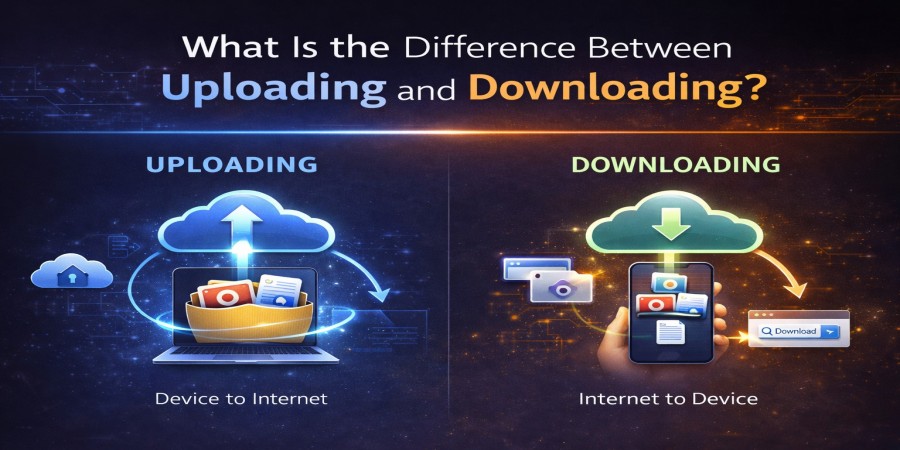
Uploading means sending a file from your device to an online server or cloud storage.
For example, when you select a file on your computer or phone and send it to a cloud platform, you are uploading it. The file leaves your device and becomes stored online so it can be accessed later or shared with others.
Common examples of uploading include:
- Uploading photos to cloud storage
- Uploading documents to share with colleagues
- Uploading videos or large project files
- Backing up files from your device
Once a file is uploaded, it usually generates a download link that can be shared with other people.
What Is Downloading?
Downloading is the opposite process of uploading. It means receiving a file from the internet and saving it to your device.
When you click a file link and save it to your computer, phone, or tablet, you are downloading it.
Common examples of downloading include:
- Downloading documents shared by someone
- Saving photos from the cloud to your phone
- Downloading videos or software
- Retrieving backup files from cloud storage
The file moves from the online server to your personal device.
The Main Difference
The key difference is the direction of the file transfer.
Simply put:
- Uploading = sending files to the internet
- Downloading = receiving files from the internet
Why Uploading and Downloading Matter
These two processes are essential for everyday internet use. They allow people to:
- Store files safely online
- Share documents and media with others
- Access files from different devices
- Transfer large files quickly and efficiently
Without uploading and downloading, cloud storage and file-sharing platforms would not function.
Conclusion
Uploading and downloading are two fundamental actions used when transferring files online. Uploading sends files from your device to the internet, while downloading brings files from the internet to your device.
Understanding this simple difference makes it easier to manage files, share data, and use cloud storage services efficiently.
Ready to upload and share your files online?
Store your documents, photos, and videos safely in the cloud and generate a fast download link to share with anyone.
Upload your files now and access them anytime from anywhere.
Login or create account to leave comments
Popular articles

Optimizing Digital Work: How Cloud Storage, File Sharing, an...
Dec 14, 2025 04:08 PM

Upload and Share Your Files with Ango Files
Dec 14, 2025 03:45 PM

Best Secure Cloud Storage for Business in 2026
Jan 17, 2026 11:19 AM

Best Free Cloud Storage Services in 2026
Apr 03, 2026 07:01 AM

How to Send Large Files Over the Internet for Free (Complete...
Mar 30, 2026 05:19 PM
Categories
Comments (0)