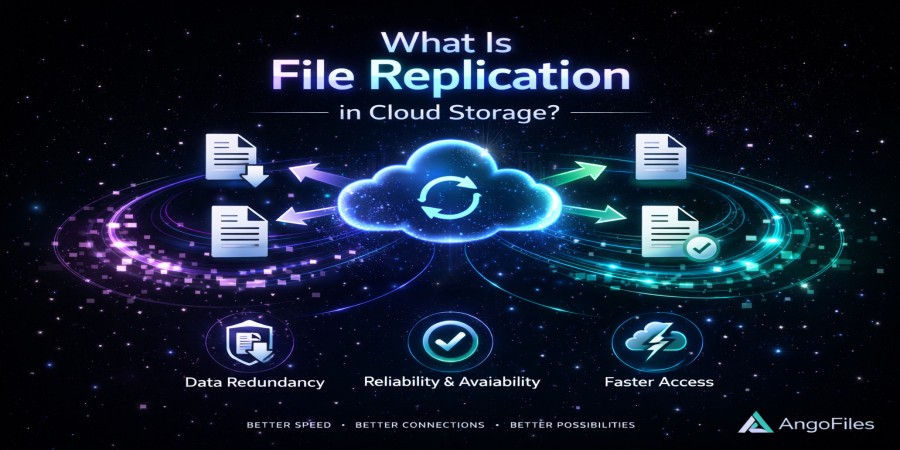
What Is File Replication in Cloud Storage?
Apr 17, 2026 09:42 AM
Leandro Neto
What Is File Replication in Cloud Storage?
One of the key reasons cloud storage is reliable is because your files are not stored in just one place. Instead, they are often duplicated across multiple systems. This process is known as file replication.
File replication is a core technology that ensures your data remains available, secure, and protected even when systems fail.
What Is File Replication?
File replication is the process of creating and storing multiple copies of the same file across different servers or locations.
Instead of relying on a single storage point, cloud systems distribute copies of your data to ensure it can always be accessed when needed.
How File Replication Works
When you upload a file to a cloud platform:
- The file is stored on a primary server
- Copies of that file are created automatically
- These copies are distributed to other servers or locations
- The system keeps all copies synchronized
If one copy becomes unavailable, another can instantly replace it.
Types of File Replication
1. Synchronous Replication
Data is copied to multiple servers at the same time.
- Ensures all copies are always identical
- Offers high consistency
- May slightly increase latency
2. Asynchronous Replication
Data is copied with a slight delay after the original upload.
- Faster performance
- Slight risk of temporary differences between copies
- Common in large-scale systems
3. Geographic Replication
Files are stored in different regions or countries.
- Protects against regional failures
- Improves access speed for global users
- Enhances disaster recovery
Why File Replication Matters
1. Data Protection
If a server fails, your file is not lost. Another copy exists elsewhere.
This protects against:
- Hardware failure
- System crashes
- Unexpected outages
2. High Availability
Replication ensures your files are always accessible.
Even if one system goes offline:
- Another server can deliver your file
- Users experience little to no disruption
3. Faster Access
By storing files in multiple locations, systems can:
- Deliver files from the nearest server
- Reduce latency
- Improve download speeds
4. Disaster Recovery
In case of major issues such as:
- Data center failures
- Power outages
- Network disruptions
Replication allows systems to recover quickly without losing data.
Replication vs. Backup
Although similar, replication and backup are not the same:
- Replication focuses on availability and real-time copies
- Backup focuses on long-term storage and recovery
Replication ensures your file is always accessible. Backup ensures you can restore it even after deletion or corruption.
Are There Any Limitations?
While replication improves reliability, it also involves:
- Increased storage usage (multiple copies)
- More complex system management
- Potential synchronization delays in some cases
However, these trade-offs are necessary for high-performance cloud systems.
Real-World Example
When you upload a file and share a download link:
- The system may serve the file from different servers depending on the user’s location
- If one server is busy or unavailable, another takes over
- The user experiences a seamless download
This entire process is powered by replication.
Conclusion
File replication is one of the most important technologies behind cloud storage. By storing multiple copies of your data across different systems, it ensures reliability, availability, and performance.
Without replication, cloud storage would be far more vulnerable to failures and downtime.
Store Your Files with Maximum Reliability
With AngoFiles, your files benefit from secure storage systems designed for availability, performance, and data protection.
Upload your files, share them globally, and rely on a system built to keep your data accessible at all times.
Start using AngoFiles today and experience reliable cloud storage built for modern needs.
Login or create account to leave comments
Popular articles

Optimizing Digital Work: How Cloud Storage, File Sharing, an...
Dec 14, 2025 04:08 PM

Upload and Share Your Files with Ango Files
Dec 14, 2025 03:45 PM

Best Secure Cloud Storage for Business in 2026
Jan 17, 2026 11:19 AM

Best Free Cloud Storage Services in 2026
Apr 03, 2026 07:01 AM

How to Send Large Files Over the Internet for Free (Complete...
Mar 30, 2026 05:19 PM
Categories
Comments (0)