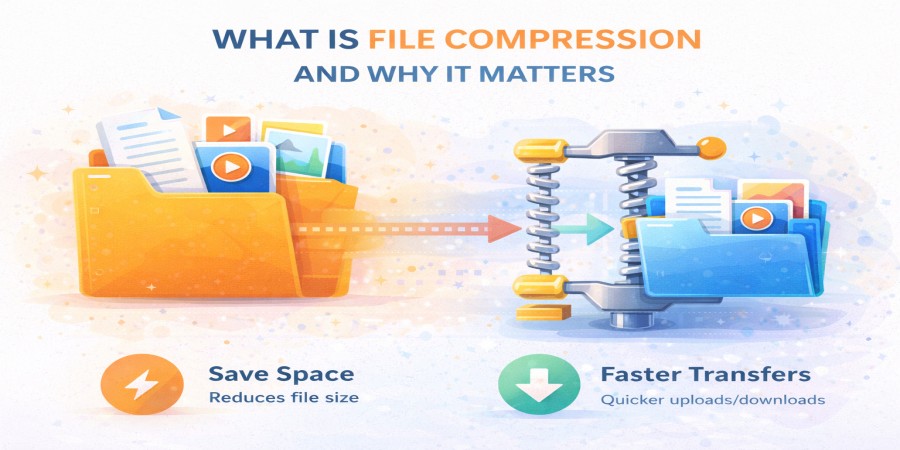
What Is File Compression and Why It Matters
Apr 08, 2026 04:04 PM
Leandro Neto
What Is File Compression and Why It Matters
As files become larger and more complex, transferring them online can sometimes take time and consume significant storage space. This is where file compression becomes extremely useful. File compression helps reduce file size, making it easier to store, upload, download, and share files efficiently.
Understanding how file compression works and why it matters can greatly improve the way you manage files online, especially when dealing with large documents, images, videos, or project files.
What Is File Compression?
File compression is the process of reducing the size of a file or group of files without losing essential information. This is done by using special algorithms that reorganize the data more efficiently so it takes up less storage space.
When a file is compressed, it becomes smaller, which means it requires less bandwidth to transfer and less storage space to keep.
Compressed files are often packaged into formats such as:
- ZIP files
- RAR files
- 7Z files
- TAR archives
These formats allow multiple files to be grouped together into a single compressed package, making them easier to share and manage.
How File Compression Works
File compression works by identifying repeating patterns or unnecessary data within a file and replacing them with more efficient representations. This reduces the total amount of data needed to store the file.
When someone downloads a compressed file, it usually needs to be extracted or decompressed before the files inside can be used.
The process typically follows these steps:
- Files are selected for compression.
- Compression software reduces the file size.
- The compressed file is uploaded or shared online.
- The recipient downloads the file.
- The file is decompressed to restore the original content.
This process makes transferring files much faster and more efficient.
Types of File Compression
There are two main types of file compression used in digital storage and file sharing.
Lossless Compression
Lossless compression reduces file size without removing any data. When the file is decompressed, it returns exactly to its original form.
This type of compression is commonly used for:
- Documents
- Software files
- Databases
- Text files
Lossless compression ensures that no information is lost during the process.
Lossy Compression
Lossy compression reduces file size by removing some data that is considered less important. This method achieves much smaller file sizes but slightly reduces quality.
Lossy compression is often used for:
- Images
- Audio files
- Videos
For example, some image and video formats use lossy compression to make files easier to store and stream.
Why File Compression Matters
File compression plays a crucial role in modern file sharing and cloud storage. It helps users manage files more efficiently and improves the overall experience when transferring data online.
Here are some key reasons why file compression matters.
Faster Uploads
Smaller files upload much faster than large ones. Compressing files before uploading can significantly reduce waiting time.
Faster Downloads
When files are compressed, they require less data transfer. This allows users to download them more quickly.
Saving Storage Space
Compressed files take up less storage space, which helps users store more files within their available storage limits.
Easier File Sharing
Instead of sending multiple files individually, compression allows users to combine them into a single archive file.
Reduced Bandwidth Usage
Smaller file sizes mean less data needs to be transferred, which helps reduce bandwidth usage and improves performance for file-sharing platforms.
When Should You Compress Files?
File compression is especially useful in many situations, such as:
- Sending large files by email
- Uploading project folders
- Sharing multiple documents together
- Storing backups
- Uploading files to cloud storage
Compressing files before sharing them can make the process much smoother and faster.
Tips for Using File Compression Effectively
To get the most benefit from file compression, consider these tips:
- Compress folders when sharing multiple files
- Use widely supported formats like ZIP
- Compress large project files before uploading
- Keep a copy of the original files when necessary
These practices help ensure your files remain organized and easy to share.
Conclusion
File compression is an essential technology that helps reduce file size, improve transfer speeds, and save storage space. By compressing files, users can upload, download, and share data more efficiently across the internet.
Whether you are sending documents, backing up files, or sharing large projects, file compression makes file management faster and more convenient.
Need an easy way to upload and share compressed files?
Upload your files in seconds and generate a fast download link that you can share with anyone, anywhere.
Start uploading your files today and simplify your file sharing.
Login or create account to leave comments
Popular articles

Optimizing Digital Work: How Cloud Storage, File Sharing, an...
Dec 14, 2025 04:08 PM

Upload and Share Your Files with Ango Files
Dec 14, 2025 03:45 PM

Best Secure Cloud Storage for Business in 2026
Jan 17, 2026 11:19 AM

Best Free Cloud Storage Services in 2026
Apr 03, 2026 07:01 AM

How to Send Large Files Over the Internet for Free (Complete...
Mar 30, 2026 05:19 PM
Categories
Comments (0)