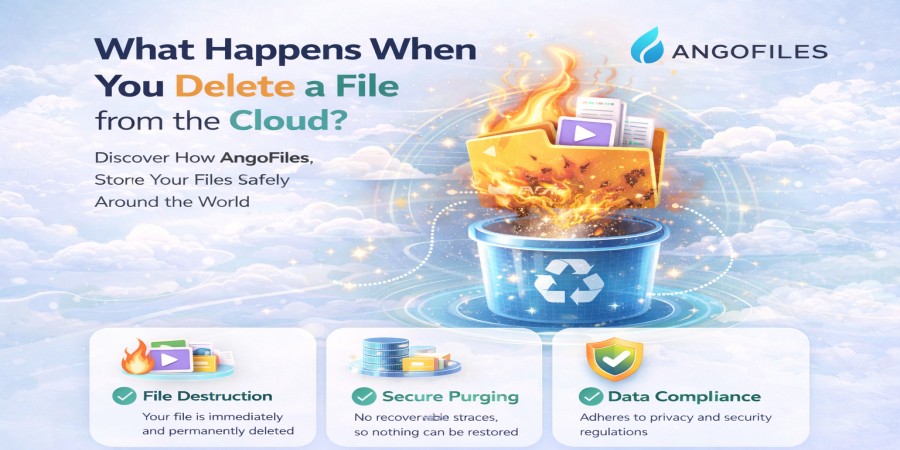
What Happens When You Delete a File from the Cloud?
Apr 15, 2026 06:21 PM
Leandro Neto
What Happens When You Delete a File from the Cloud?
Deleting a file from the cloud feels simple and final. You click “delete,” and the file disappears from your account. But what actually happens behind the scenes is more complex.
In most cases, deletion is not immediate or absolute. Cloud storage systems are designed with layers of protection, redundancy, and recovery, which means your file may continue to exist for some time after you remove it.
The First Step: Logical Deletion
When you delete a file, it is usually not erased instantly from physical storage. Instead, the system performs what is known as a logical deletion.
This means:
- The file is removed from your visible file list
- Access to the file is disabled
- The system marks the storage space as available for reuse
At this stage, the file still exists on the server, but it is no longer accessible through your account.
Temporary Storage: Trash or Recovery Period
Most cloud platforms include a recovery mechanism. After deletion:
- The file is moved to a “trash” or “recycle bin”
- It remains there for a limited period (for example, 7 to 30 days)
- You can restore it if needed
This feature protects users from accidental deletion and is a standard part of modern storage systems.
Permanent Deletion: What It Really Means
After the recovery period expires or you manually delete the file permanently:
- The system schedules the file for removal
- References to the file are deleted from databases
- Storage blocks are marked for overwriting
However, even at this stage, the data may not be instantly wiped from the physical disk.
Data Overwriting and Erasure
Cloud systems do not always erase data immediately for efficiency reasons. Instead:
- The space previously used by the file is reused over time
- New data overwrites the old data
- The original file becomes unrecoverable after being overwritten
Until this process is complete, fragments of the file may still exist on storage devices.
Backups and Replicated Copies
One important factor is redundancy. Your file may have been stored in multiple locations:
- Backup systems may still contain copies
- Replicated servers may hold versions of the file
- Disaster recovery systems may retain data temporarily
These copies are also eventually deleted, but not always at the same time as the primary file.
Security and Privacy Considerations
Cloud providers implement strict policies to ensure deleted data is eventually removed:
- Automated deletion cycles clean up expired data
- Secure deletion practices reduce the risk of recovery
- Access controls prevent unauthorized retrieval
For the user, this means that once a file is permanently deleted and retention periods expire, it becomes extremely difficult or impossible to recover.
What You Lose Immediately
Even before permanent deletion is complete, you instantly lose:
- Access to the file
- Public or private download links
- Sharing permissions
- Synchronization across devices
From a practical standpoint, the file is gone as soon as you delete it from your account.
Can Deleted Files Be Recovered?
Recovery depends on timing:
- During the trash period: yes, easily
- After permanent deletion: usually no
- In rare cases: only through specialized recovery systems (often unavailable to users)
Once the system fully overwrites the data, recovery is no longer possible.
Best Practices Before Deleting Files
Before removing important data, consider:
- Creating a backup copy
- Verifying that you no longer need the file
- Checking whether it is shared with others
- Understanding the platform’s retention policy
Deleting a file should be a deliberate action, especially for critical data.
Conclusion
Deleting a file from the cloud is not a single event but a process. It begins with removing access, followed by staged deletion, and eventually results in permanent erasure over time.
For users, the file disappears instantly. For the system, it takes longer to fully eliminate it from storage.
Manage Your Files with Confidence
With AngoFiles, you have full control over your files, including secure deletion, recovery options, and reliable storage management.
Upload, manage, and delete your files with confidence, knowing your data is handled with efficiency and care.
Start using AngoFiles today and take control of your digital storage.
Login or create account to leave comments
Popular articles

Optimizing Digital Work: How Cloud Storage, File Sharing, an...
Dec 14, 2025 04:08 PM

Upload and Share Your Files with Ango Files
Dec 14, 2025 03:45 PM

Best Secure Cloud Storage for Business in 2026
Jan 17, 2026 11:19 AM

Best Free Cloud Storage Services in 2026
Apr 03, 2026 07:01 AM

How to Send Large Files Over the Internet for Free (Complete...
Mar 30, 2026 05:19 PM
Categories
Comments (0)