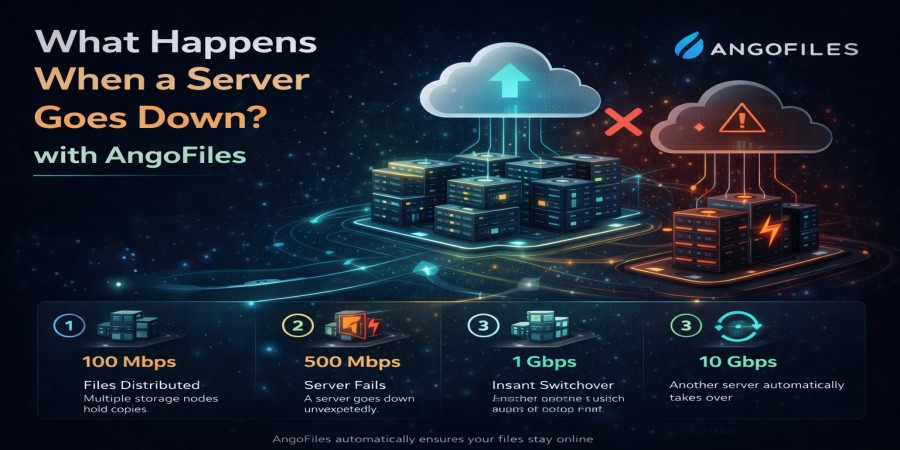
What Happens When a Server Goes Down?
Apr 14, 2026 05:58 PM
Leandro Neto
What Happens When a Server Goes Down?
Servers are the backbone of the internet. They store, process, and deliver data every second. But what happens when a server goes down?
A server outage can impact websites, file downloads, applications, and even entire businesses. Understanding how these failures occur and what happens behind the scenes can help you better manage risks and expectations.
In this article, we break down what really happens when a server goes offline.
What Does It Mean When a Server Goes Down?
When a server goes down, it means it is no longer able to respond to requests from users or other systems.
This can result in:
- Websites becoming inaccessible
- Downloads failing
- Applications stopping
- Data temporarily unavailable
Depending on the severity, the impact can range from minor inconvenience to major disruption.
Common Causes of Server Downtime
Hardware Failure
Physical components such as hard drives, CPUs, or power supplies can fail unexpectedly.
Network Issues
Problems with internet connectivity or routing can disconnect the server from users.
Software Errors
Bugs, crashes, or misconfigurations can cause systems to stop functioning.
Cyberattacks
DDoS attacks and hacking attempts can overload or disable servers.
Maintenance or Updates
Scheduled updates can temporarily take servers offline.
What Happens Step by Step
1. Requests Start Failing
Users trying to access a website or download files will receive errors or timeouts.
2. Services Become Unavailable
Applications and platforms relying on the server stop working.
3. Data Access Is Interrupted
Stored files are still there, but cannot be accessed until the server is restored.
4. Monitoring Systems Trigger Alerts
System administrators are notified immediately to investigate the issue.
5. Recovery Process Begins
Engineers identify the problem and work to restore the server.
Impact on Users
When a server goes down, users may experience:
- Slow or failed downloads
- Inability to access files
- Interrupted uploads
- Loss of ongoing progress
This can be frustrating, especially during important tasks.
Impact on Businesses
For online platforms, downtime can lead to:
- Loss of revenue
- Decreased user trust
- Lower search engine rankings
- Customer dissatisfaction
Even short outages can have significant consequences.
How Modern Systems Handle Server Failures
To reduce downtime, many platforms use advanced solutions:
Redundancy
Multiple servers are used so that if one fails, another takes over.
Load Balancing
Traffic is distributed across servers to prevent overload.
Backup Systems
Data is stored in multiple locations to prevent loss.
Automatic Failover
If one server goes down, another automatically replaces it.
How Cloud Storage Platforms Minimize Downtime
Reliable platforms are designed to stay online even during failures by using:
- Distributed infrastructure
- High-performance servers
- Continuous monitoring
- Backup and recovery systems
This ensures better uptime and user experience.
How to Protect Yourself from Server Downtime
Even as a user, you can take precautions:
- Keep backups of important files
- Use trusted platforms
- Avoid relying on a single storage location
- Plan for potential downtime
Conclusion
When a server goes down, it disrupts access to data and services, but modern technology has made recovery faster and more efficient than ever.
By understanding how server outages work and choosing reliable platforms, you can minimize risks and ensure a smoother online experience.
Want a more reliable way to store and share your files?
Choose a cloud storage platform built for stability, performance, and minimal downtime. Upload your files with confidence and stay connected without interruptions.
Login or create account to leave comments
Popular articles

Optimizing Digital Work: How Cloud Storage, File Sharing, an...
Dec 14, 2025 04:08 PM

Upload and Share Your Files with Ango Files
Dec 14, 2025 03:45 PM

Best Secure Cloud Storage for Business in 2026
Jan 17, 2026 11:19 AM

Best Free Cloud Storage Services in 2026
Apr 03, 2026 07:01 AM

How to Send Large Files Over the Internet for Free (Complete...
Mar 30, 2026 05:19 PM
Categories
Comments (0)