How to Upload Files Faster Online
Apr 09, 2026 06:35 PM
Leandro Neto
How to Upload Files Faster Online
Uploading files to the internet is something people do every day. Whether you are sharing documents, photos, videos, or large project files, slow upload speeds can be frustrating and time-consuming.
Fortunately, there are several ways to improve upload performance and send files online much faster. By understanding how uploads work and following a few practical tips, you can significantly reduce the time it takes to upload files.
What Affects Upload Speed?
Before learning how to upload files faster, it’s important to understand the factors that influence upload speed.
Some of the main factors include:
- Your internet connection speed
- File size
- Network congestion
- Device performance
- Server performance of the platform you are using
If any of these factors are limited, your uploads may take longer to complete.
1. Use a Faster Internet Connection
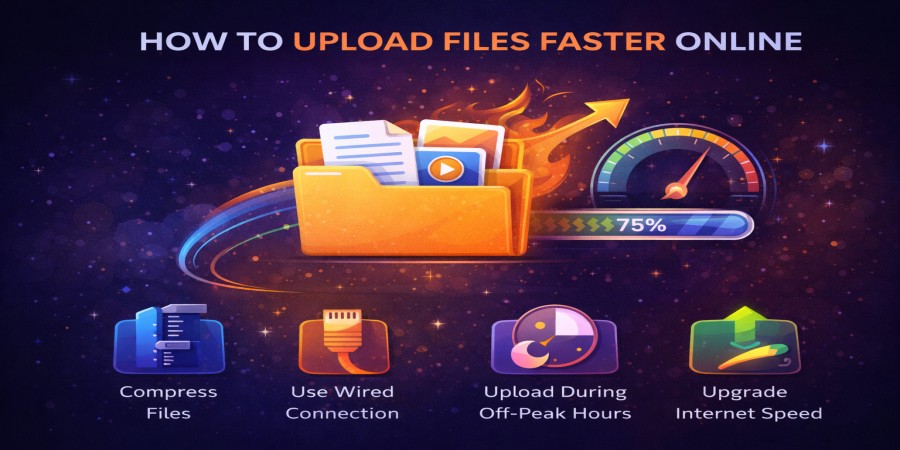
One of the most effective ways to upload files faster is by using a faster and more stable internet connection.
If possible:
- Use a high-speed broadband connection
- Upgrade your internet plan if necessary
- Avoid slow or unstable networks
A strong connection allows more data to be transferred at once, which improves upload performance.
2. Compress Files Before Uploading
Large files take longer to upload because they contain more data.
Using file compression can reduce the size of files before uploading them.
Compressed files:
- Upload faster
- Use less bandwidth
- Are easier to share
This method works especially well for folders containing many files.
3. Avoid Uploading Too Many Files at the Same Time
Uploading multiple files simultaneously can slow down your internet connection.
To improve speed:
- Upload fewer files at once
- Wait for one upload to finish before starting another
- Combine multiple files into a single compressed folder
This helps your connection focus on one upload process at a time.
4. Use a Wired Internet Connection
If you are uploading files from a computer, using a wired Ethernet connection instead of Wi-Fi can significantly improve speed and stability.
Wired connections usually provide:
- More stable data transfer
- Faster upload speeds
- Fewer interruptions
This is especially useful when uploading large files.
5. Close Other Internet Applications
Other applications using the internet can slow down uploads.
For example:
- Streaming videos
- Online gaming
- Large downloads
- Background updates
Closing unnecessary applications ensures more bandwidth is available for your file upload.
6. Upload Files During Off-Peak Hours
Internet networks can become congested when many users are online at the same time.
Uploading files during off-peak hours—such as late at night or early in the morning—can sometimes improve upload speeds.
Fewer active users mean less network congestion.
7. Use Reliable File Hosting Platforms
The platform you use to upload files also affects performance. Reliable platforms with strong servers and good bandwidth can process uploads faster.
Choosing a reliable file hosting platform helps ensure your files upload quickly and remain accessible for sharing.
8. Check Your Device Performance
Your device can also influence upload speed.
To improve performance:
- Restart your computer or phone
- Close unused applications
- Ensure your system has enough memory available
A well-performing device can process uploads more efficiently.
Conclusion
Uploading files faster online is possible by optimizing several factors such as internet speed, file size, and device performance. Simple steps like compressing files, using a wired connection, and avoiding multiple uploads at once can make a significant difference.
By following these strategies, you can save time and make file sharing online much more efficient.
Need a fast and simple way to upload your files?
Upload your files in seconds and generate a secure download link that you can share with anyone.
Start uploading now and experience faster file sharing.
Login or create account to leave comments
Popular articles

Optimizing Digital Work: How Cloud Storage, File Sharing, an...
Dec 14, 2025 04:08 PM

Upload and Share Your Files with Ango Files
Dec 14, 2025 03:45 PM

Best Secure Cloud Storage for Business in 2026
Jan 17, 2026 11:19 AM

Best Free Cloud Storage Services in 2026
Apr 03, 2026 07:01 AM

How to Send Large Files Over the Internet for Free (Complete...
Mar 30, 2026 05:19 PM
Categories
Comments (0)