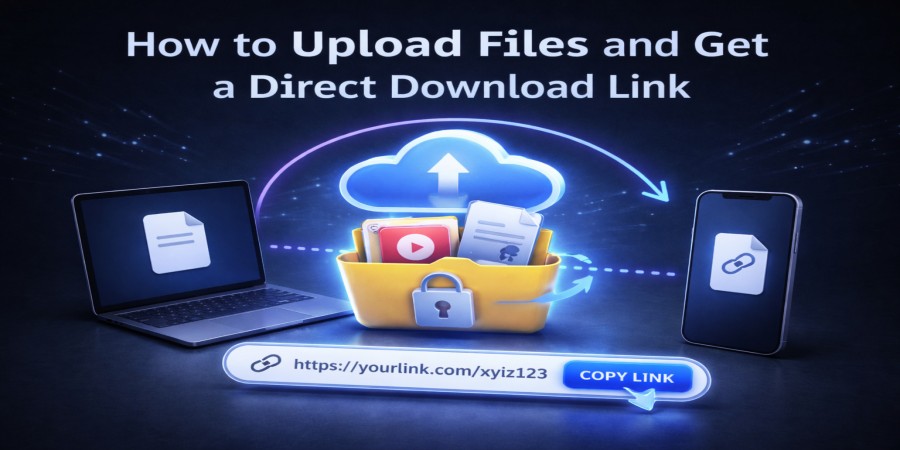
How to Upload Files and Get a Direct Download Link
Apr 05, 2026 06:22 PM
Leandro Neto
How to Upload Files and Get a Direct Download Link
Sharing files online has become essential for both personal and professional use. Instead of sending large attachments through email, many people prefer uploading files and sharing them through direct download links.
A direct download link allows recipients to download a file immediately without additional steps. This method is faster, more convenient, and works well for large files.
Cloud storage platforms make it easy to upload files and generate direct download links that can be shared anywhere.
Services like AngoFiles allow users to upload files and receive a direct download link instantly.
In this guide, you will learn how to upload files and generate direct download links quickly and safely.
What Is a Direct Download Link?
A direct download link is a URL that points directly to a file stored online.
When someone clicks the link, the file begins downloading immediately instead of opening a preview page.
This makes it easier to distribute files quickly and efficiently.
Direct download links are commonly used for:
- software downloads
- document sharing
- video files
- images and media files
- compressed folders
Benefits of Using Direct Download Links
Using direct download links offers several advantages compared to traditional file sharing methods.
Faster File Access
Recipients can download files immediately without navigating multiple pages.
Easy Sharing
The same link can be shared with multiple people.
No Email Attachment Limits
Large files can be shared easily without worrying about email size restrictions.
Convenient for Websites and Blogs
Direct links can be embedded in websites, blogs, or forums.
Cloud storage platforms such as AngoFiles simplify the process of generating these links.
Step-by-Step: How to Upload Files and Get a Direct Download Link
The process of generating a direct download link usually takes only a few simple steps.
1. Upload Your File
First, open a cloud storage platform and upload the file you want to share.
Click the upload button and select the file from your device.
Most platforms support many file types, including:
- documents
- images
- videos
- compressed folders
- software files
Once the upload is complete, the file will be stored securely online.
2. Generate the Direct Download Link
After uploading the file, the platform will generate a direct download link automatically.
This link points directly to the file stored in the cloud.
3. Copy and Share the Link
You can now copy the link and send it to anyone who needs the file.
Direct download links can be shared through:
- messaging apps
- social media
- websites and blogs
Anyone who clicks the link can download the file instantly.
Best Types of Files for Direct Download Links
Direct download links are particularly useful for large or frequently shared files.
Examples include:
- software installers
- large video files
- high-resolution photos
- documents and reports
- compressed folders (ZIP or RAR)
These files can be downloaded quickly without additional steps.
Tips for Managing Direct Download Links
To keep file sharing organized and secure, follow these tips.
Keep Files Organized
Use folders to manage your uploaded files.
Share Links Carefully
Avoid posting download links publicly if the files contain sensitive information.
Keep Backup Copies
Always store backup copies of important files.
Platforms like AngoFiles make it easy to manage files and generate direct download links.
Conclusion
Uploading files and generating direct download links is one of the fastest ways to share files online. Instead of sending large attachments or transferring files manually, you can upload your files to cloud storage and create a link that anyone can use to download them.
Cloud storage platforms like AngoFiles simplify this process by allowing users to upload files and generate direct download links instantly.
🚀 Upload Files and Get a Direct Download Link
Need to share files quickly?
Upload your files to AngoFiles and generate a direct download link instantly.
✔ Upload files easily
✔ Get instant direct download links
✔ Share files anywhere
Start uploading and sharing your files today.
Login or create account to leave comments
Popular articles

Optimizing Digital Work: How Cloud Storage, File Sharing, an...
Dec 14, 2025 04:08 PM

Upload and Share Your Files with Ango Files
Dec 14, 2025 03:45 PM

Best Secure Cloud Storage for Business in 2026
Jan 17, 2026 11:19 AM

Best Free Cloud Storage Services in 2026
Apr 03, 2026 07:01 AM

How to Send Large Files Over the Internet for Free (Complete...
Mar 30, 2026 05:19 PM
Categories
Comments (0)