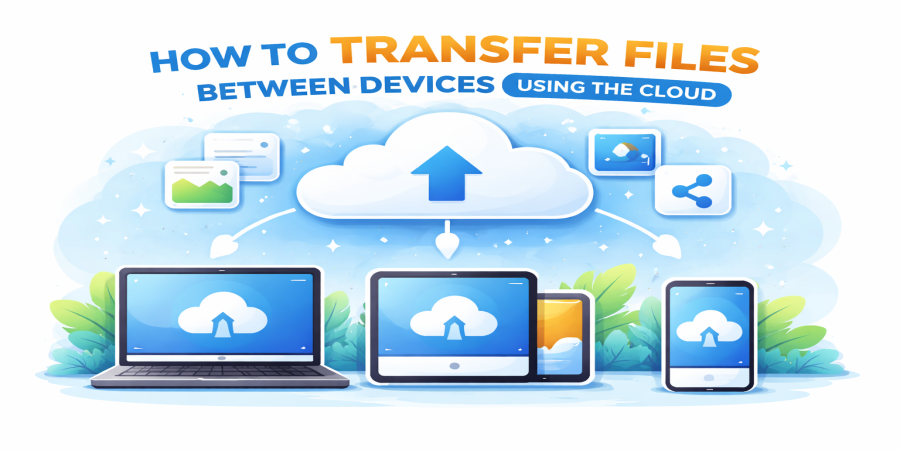
How to Transfer Files Between Devices Using the Cloud
Apr 04, 2026 07:44 PM
Leandro Neto
How to Transfer Files Between Devices Using the Cloud
Many people use multiple devices every day, such as smartphones, laptops, tablets, and desktop computers. Moving files between these devices can sometimes be frustrating, especially when using cables, USB drives, or messaging apps.
Cloud storage provides a simple solution. Instead of physically transferring files, you can upload them to the cloud and access them from any device connected to the internet.
Platforms like AngoFiles make it easy to upload files once and access them instantly from different devices.
In this guide, you will learn how to transfer files between devices using cloud storage quickly and efficiently.
Why Use Cloud Storage to Transfer Files?
Traditional methods of transferring files often require extra hardware or manual steps. Cloud storage simplifies the process by storing files online.
This allows you to access the same files from multiple devices without physically moving them.
Key Advantages
Access files anywhere
Once uploaded, files can be accessed from any device with internet access.
No cables required
You do not need USB cables or external storage devices.
Faster file transfers
Files can be uploaded once and downloaded instantly on another device.
Better file organization
Cloud platforms make it easy to organize files in folders.
Step-by-Step: Transfer Files Between Devices Using the Cloud
Using cloud storage to move files between devices is simple and usually takes only a few steps.
1. Upload the File to Cloud Storage
Start by uploading the file from the device where it is currently stored.
Open a cloud storage platform like AngoFiles and select the file you want to upload.
Once uploaded, the file will be stored securely online.
2. Access the File from Another Device
Now open the same cloud platform on the second device.
Because the file is stored in the cloud, it will be available for download immediately.
3. Download the File
Simply download the file to the second device.
The transfer is complete, and the file is now available on both devices.
Examples of Device Transfers Using the Cloud
Cloud storage works for many different device combinations.
Phone to Computer
Upload a photo or video from your phone and download it on your laptop.
Computer to Phone
Upload a document from your computer and access it on your mobile device.
Laptop to Desktop
Move files between work and home computers easily.
Tablet to Smartphone
Access the same files across multiple mobile devices.
Cloud storage makes these transfers quick and convenient.
Types of Files You Can Transfer
Cloud storage platforms support many different file types.
Examples include:
- documents
- photos
- videos
- compressed folders
- presentations
- software files
Because the files are stored online, they maintain their original quality during transfers.
Tips for Faster Cloud File Transfers
To make file transfers faster and smoother, consider the following tips.
Use a Stable Internet Connection
A good internet connection improves upload and download speeds.
Compress Large Files When Needed
Very large files can be compressed into ZIP folders before uploading.
Organize Files in Folders
Keeping files organized makes them easier to find when switching between devices.
Platforms like AngoFiles help users manage files efficiently while making transfers simple.
Benefits of Using Cloud Storage for Device Transfers
Using cloud storage instead of traditional methods offers several advantages.
Convenience
Files can be transferred without cables or external drives.
Speed
Uploads and downloads are fast with modern cloud platforms.
Accessibility
Files can be accessed anytime and anywhere.
Secure Storage
Cloud platforms protect files while they are stored online.
Conclusion
Transferring files between devices no longer needs to be complicated. Instead of using cables or USB drives, cloud storage allows you to upload files once and access them from any device.
This method is faster, more convenient, and works across smartphones, tablets, and computers.
With platforms like AngoFiles, transferring files between devices is simple and efficient.
🚀 Transfer Files Between Devices Easily
Need to move files between your phone, laptop, or computer?
Upload your files to AngoFiles and access them instantly from any device.
✔ Upload files quickly
✔ Access files anywhere
✔ Transfer files between devices easily
Start transferring your files today.
Login or create account to leave comments
Popular articles

Optimizing Digital Work: How Cloud Storage, File Sharing, an...
Dec 14, 2025 04:08 PM

Upload and Share Your Files with Ango Files
Dec 14, 2025 03:45 PM

Best Secure Cloud Storage for Business in 2026
Jan 17, 2026 11:19 AM

Best Free Cloud Storage Services in 2026
Apr 03, 2026 07:01 AM

How to Send Large Files Over the Internet for Free (Complete...
Mar 30, 2026 05:19 PM
Categories
Comments (0)