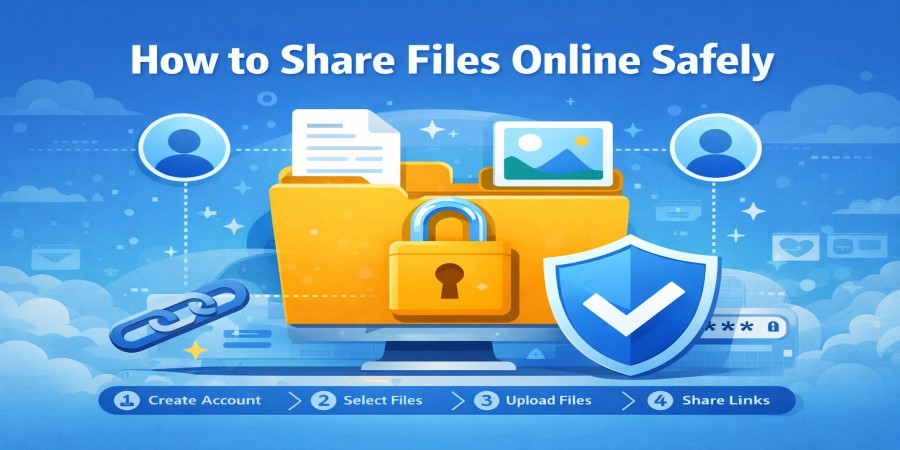
How to Share Files Online Safely (Complete Guide 2026)
Apr 02, 2026 08:11 AM
Leandro Neto
How to Share Files Online Safely (Complete Guide 2026)
Sharing files online has become a normal part of daily digital life. Whether you are sending documents, photos, videos, or work projects, online file sharing allows people to transfer information quickly across the internet.
However, sharing files without proper precautions can expose sensitive data, personal information, or important documents to security risks.
Learning how to share files safely is essential for protecting your digital content and ensuring that only the right people can access it.
Modern cloud platforms like AngoFiles provide secure ways to upload, store, and share files while maintaining control over access and privacy.
In this guide, we explain the most effective ways to share files online safely.
Why Secure File Sharing Is Important
When files are shared online without proper protection, several risks can occur.
These risks include:
- unauthorized access to files
- data leaks
- file interception during transfer
- malware distribution
- loss of sensitive information
Secure file sharing ensures that your files remain protected while being transferred or accessed by others.
1. Use a Trusted Cloud Storage Platform
The first step to secure file sharing is using a reliable platform designed for safe file management.
A trusted cloud platform ensures:
- encrypted file transfers
- secure file storage
- controlled access to shared files
Services like AngoFiles make it easy to upload files and share them through protected download links.
2. Share Files Using Secure Links
Instead of sending files directly through email attachments, using secure download links is a safer option.
Secure links allow users to:
- share large files easily
- control who accesses the file
- avoid email size limitations
Only users with the link can access the file, which adds an extra layer of control.
3. Protect Files with Passwords
Adding a password to shared files increases security.
If someone obtains the download link without authorization, they still cannot access the file without the password.
Password protection is especially important when sharing:
- confidential documents
- financial records
- private media files
- business reports
4. Avoid Public File Sharing
Public file sharing can expose your files to unknown users.
Whenever possible, limit file access to specific people rather than allowing open public access.
Controlled sharing ensures that only intended recipients can download or view the file.
5. Verify the Recipient Before Sharing
Before sending files, confirm the identity of the person receiving them.
Mistakenly sending files to the wrong recipient can result in data leaks or privacy issues.
Always double-check:
- email addresses
- usernames
- contact information
This simple step helps prevent accidental file exposure.
6. Scan Files for Malware
Before sharing files online, make sure they are safe.
Malware can spread through infected files, potentially harming devices or networks.
Using antivirus tools to scan files before uploading them helps protect both you and the recipient.
7. Use Strong Account Security
Protecting your cloud storage account is equally important.
Use security practices such as:
- strong passwords
- two-factor authentication
- secure login practices
These steps help prevent unauthorized access to your stored files.
8. Monitor Shared Files
If your cloud platform provides file tracking or monitoring, use it to track file activity.
Monitoring allows you to see:
- when files are downloaded
- who accessed them
- how often they were accessed
This helps maintain control over your shared files.
Best Types of Files to Share Using Cloud Storage
Cloud storage platforms are ideal for sharing many types of files.
Common examples include:
- work documents
- presentations
- high-resolution images
- large video files
- compressed project files
With cloud platforms like AngoFiles, users can safely share large files without worrying about size limitations.
Conclusion
Sharing files online is fast and convenient, but security should always be a priority. By using secure platforms, protecting files with passwords, and verifying recipients, users can significantly reduce the risks associated with online file sharing.
Cloud storage services provide reliable solutions for uploading and sharing files safely across the internet.
By following the tips in this guide, you can ensure that your files remain protected while still enjoying the convenience of digital file sharing.
🚀 Share Your Files Safely Today
Looking for a secure way to upload and share your files online?
Use AngoFiles to store and share files safely.
✔ Upload large files easily
✔ Share files with secure download links
✔ Access your files anytime, anywhere
Start now and experience safer file sharing.
Login or create account to leave comments
Popular articles

Optimizing Digital Work: How Cloud Storage, File Sharing, an...
Dec 14, 2025 04:08 PM

Upload and Share Your Files with Ango Files
Dec 14, 2025 03:45 PM

Best Secure Cloud Storage for Business in 2026
Jan 17, 2026 11:19 AM

Best Free Cloud Storage Services in 2026
Apr 03, 2026 07:01 AM

How to Send Large Files Over the Internet for Free (Complete...
Mar 30, 2026 05:19 PM
Categories
Comments (0)