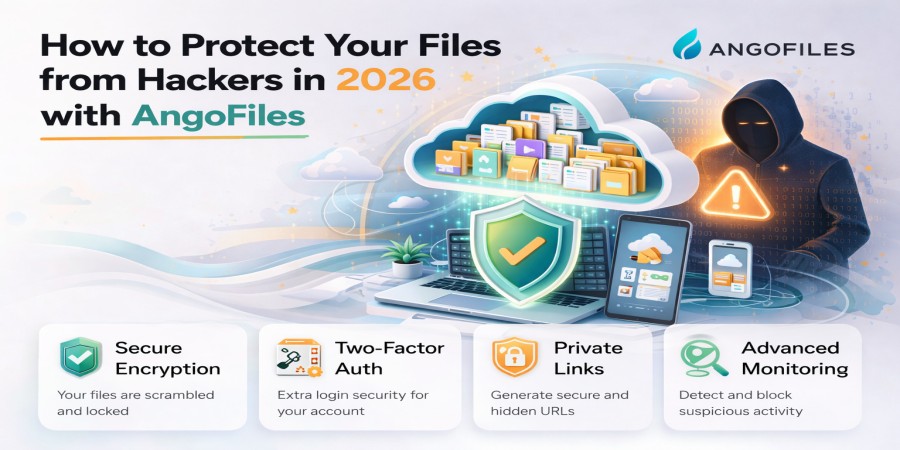
How to Protect Your Files from Hackers in 2026 with AngoFiles
Apr 13, 2026 01:44 PM
Leandro Neto
How to Protect Your Files from Hackers in 2026 with AngoFiles
As digital storage continues to grow, so do cybersecurity threats. In 2026, protecting your files is no longer optional it is essential. Hackers are constantly developing new methods to access sensitive data, making it critical to use secure platforms and smart practices.
With AngoFiles, you already have a strong foundation for file security. However, combining platform features with the right strategies will ensure your files remain protected at all times.
In this guide, you will learn how to secure your files against hackers and keep your data safe online.
Why File Security Matters More Than Ever
Cyberattacks are becoming more advanced, targeting both individuals and businesses. If your files are not properly protected, you risk:
- Data theft
- Loss of important documents
- Unauthorized sharing
- Financial damage
Securing your files is not just about privacy it is about control and reliability.
How AngoFiles Helps Protect Your Files
AngoFiles is designed with security in mind, offering features that help reduce risks:
- Secure cloud storage infrastructure
- Controlled file access through shareable links
- Reliable hosting environment
- Protection against unauthorized access attempts
These features create a strong base, but user actions also play a crucial role.
Essential Tips to Protect Your Files from Hackers
1. Use Strong and Unique Passwords
Avoid simple passwords. Use a combination of:
- Uppercase and lowercase letters
- Numbers
- Special characters
Never reuse passwords across multiple platforms.
2. Enable Password Protection for Files
When sharing files on AngoFiles, add an extra layer of protection by restricting access with a password.
This ensures only authorized users can download your content.
3. Limit File Access
Do not share your download links publicly unless necessary.
Instead:
- Share links only with trusted users
- Use controlled distribution channels
4. Use Expiring Links
If available, set links to expire after a certain period. This reduces the risk of long-term unauthorized access.
5. Keep Your Account Secure
Protect your AngoFiles account by:
- Logging out from shared devices
- Avoiding public Wi-Fi when accessing sensitive files
- Monitoring account activity
6. Avoid Suspicious Files and Links
Hackers often use malicious files to gain access.
Never:
- Download unknown files
- Click on suspicious links
- Share unverified content
7. Organize and Manage Your Files
Regularly review your files and remove outdated or unnecessary content.
This reduces exposure and keeps your storage secure.
8. Backup Important Files
Even with strong security, always keep backups of critical files.
Cloud storage combined with backups ensures you never lose your data.
Advanced Security Practices
Encrypt Sensitive Files
Before uploading, encrypt files containing sensitive information. This adds an extra layer of protection.
Use Secure Devices
Always access your files from trusted devices with updated software and antivirus protection.
Monitor Your Downloads
Track file activity and detect unusual behavior early.
Common Security Mistakes to Avoid
- Using weak passwords
- Sharing links publicly without protection
- Ignoring suspicious activity
- Not updating security practices
- Uploading sensitive data without encryption
Avoiding these mistakes significantly reduces your risk.
The Future of File Security in 2026
Security is evolving with technologies like:
- AI-based threat detection
- Advanced encryption methods
- Smarter access control systems
Platforms like AngoFiles continue to improve to meet these challenges, helping users stay protected in an ever-changing digital landscape.
Conclusion
Protecting your files from hackers in 2026 requires a combination of secure platforms and smart habits. With AngoFiles, you already have a reliable system in place but your actions determine your level of protection.
By following these best practices, you can keep your files safe, secure, and under your control.
Ready to protect your files with confidence?
Create your AngoFiles account today, upload your files securely, and take full control of your digital data. Stay protected, stay in control, and trust AngoFiles for your file security needs.
Login or create account to leave comments
Popular articles

Optimizing Digital Work: How Cloud Storage, File Sharing, an...
Dec 14, 2025 04:08 PM

Upload and Share Your Files with Ango Files
Dec 14, 2025 03:45 PM

Best Secure Cloud Storage for Business in 2026
Jan 17, 2026 11:19 AM

Best Free Cloud Storage Services in 2026
Apr 03, 2026 07:01 AM

How to Send Large Files Over the Internet for Free (Complete...
Mar 30, 2026 05:19 PM
Categories
Comments (0)