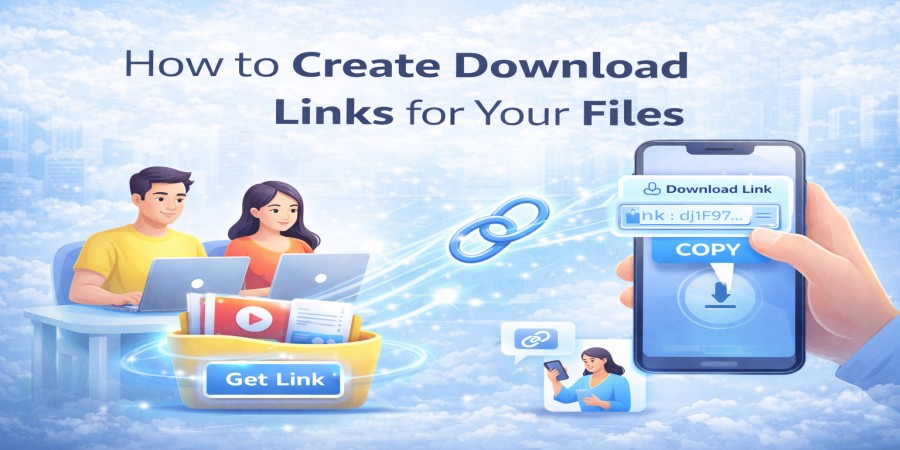
How to Create Download Links for Your Files
Apr 05, 2026 06:06 PM
Leandro Neto
How to Create Download Links for Your Files
Sharing files online has become a common part of everyday communication. Whether you need to send documents, photos, videos, or large files, creating a download link is one of the easiest and fastest ways to share them.
Instead of sending large attachments through email or messaging apps, you can upload your file to a cloud storage platform and generate a link that others can use to download it.
Services like AngoFiles allow users to upload files and instantly create download links that can be shared anywhere.
In this guide, you will learn how to create download links for your files and share them quickly and securely.
What Is a Download Link?
A download link is a URL that allows someone to access and download a file stored online.
Instead of sending the file directly, you simply send the link. When someone clicks the link, they can download the file from the cloud.
This method makes file sharing easier and avoids many limitations associated with traditional file transfers.
Why Download Links Are Useful
Download links offer several benefits compared to traditional file sharing methods.
Easy File Sharing
You can share files with multiple people using the same link.
No Attachment Size Limits
Emails often restrict attachment sizes. Download links remove this limitation.
Faster Transfers
Files are uploaded once and can be downloaded many times.
Convenient Access
Recipients can download files from any device with internet access.
Cloud storage platforms like AngoFiles simplify the process of generating these links.
Step-by-Step: How to Create Download Links for Your Files
Creating a download link usually takes only a few simple steps.
1. Upload Your File
First, upload the file you want to share to a cloud storage platform.
Open the upload page and select the file from your device. Most platforms support many file types, including documents, images, videos, and compressed folders.
Once uploaded, the file will be stored securely in the cloud.
2. Generate the Download Link
After the upload is complete, the platform will automatically generate a download link for your file.
This link points directly to the stored file and allows others to download it.
3. Share the Link
Now you can send the link to anyone who needs access to the file.
You can share the link through:
- messaging apps
- social media
- websites or blogs
Anyone with the link can download the file easily.
Types of Files You Can Share with Download Links
Download links are ideal for sharing many types of files.
Examples include:
- documents and reports
- images and photos
- HD or 4K videos
- presentations
- compressed folders (ZIP or RAR)
- software files
Because the files remain stored in the cloud, they maintain their original quality.
Tips for Managing Download Links
To keep your files organized and secure, consider these tips.
Organize Files in Folders
Organizing files makes it easier to manage and share them later.
Share Links Only with Intended Recipients
Avoid posting links publicly if the files contain private information.
Keep Backup Copies
Always keep a copy of important files stored safely.
Cloud platforms like AngoFiles help users manage files while making sharing simple.
Benefits of Using Cloud Storage for Download Links
Using cloud storage to generate download links provides several advantages.
Faster File Distribution
A single link can be shared with many people.
Reliable File Storage
Files remain available online whenever they are needed.
Easy Access Across Devices
Users can download files on smartphones, tablets, or computers.
Simple and Efficient Sharing
The process takes only a few seconds.
Conclusion
Creating download links is one of the easiest ways to share files online. Instead of dealing with attachment limits or slow transfers, you can upload your files to cloud storage and generate a link that anyone can use to download them.
Cloud storage platforms like AngoFiles make this process simple, fast, and reliable.
🚀 Create Download Links Instantly
Want to create download links for your files quickly?
Upload your files to AngoFiles and generate a shareable link in seconds.
✔ Upload files easily
✔ Generate instant download links
✔ Share files anywhere
Start sharing your files today.
Login or create account to leave comments
Popular articles

Optimizing Digital Work: How Cloud Storage, File Sharing, an...
Dec 14, 2025 04:08 PM

Upload and Share Your Files with Ango Files
Dec 14, 2025 03:45 PM

Best Secure Cloud Storage for Business in 2026
Jan 17, 2026 11:19 AM

Best Free Cloud Storage Services in 2026
Apr 03, 2026 07:01 AM

How to Send Large Files Over the Internet for Free (Complete...
Mar 30, 2026 05:19 PM
Categories
Comments (0)