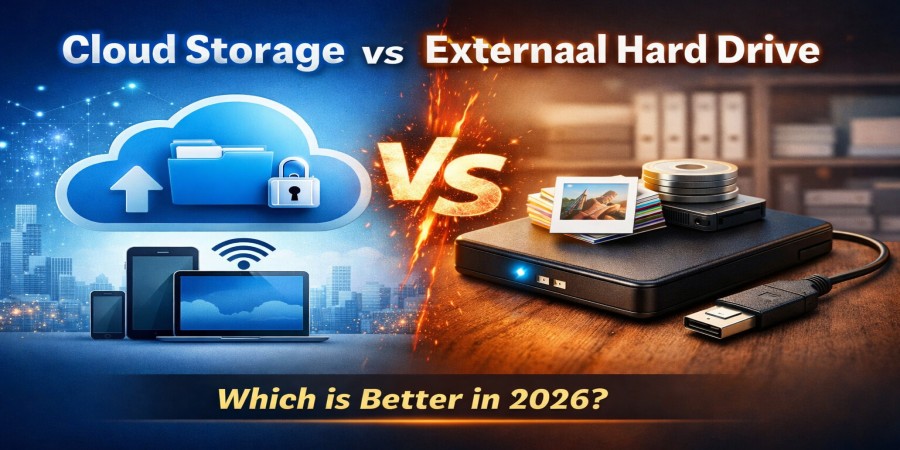
Cloud Storage vs External Hard Drive: Which is Better in 2026?
Mar 30, 2026 06:16 PM
Leandro Neto
Cloud Storage vs External Hard Drive: Which is Better in 2026?
When it comes to storing files, two of the most popular options are cloud storage and external hard drives.
Both solutions allow you to store documents, photos, videos, and backups but they work in very different ways.
If you're wondering which option is better, you're not alone. Many people struggle to decide between cloud storage vs external hard drive.
In this guide, you'll learn:
-
What cloud storage is
-
What external hard drives are
-
Pros and cons of each option
-
Which one is best for your needs
-
The safest way to store your files
What Is Cloud Storage?
Cloud storage allows you to store files on online servers instead of keeping them on your computer.
This means you can:
- Access files from anywhere
- Use any device
- Keep files secure
- Share files easily
- Create automatic backups
Cloud storage is becoming increasingly popular because it's simple, secure, and convenient.
What Is an External Hard Drive?
An external hard drive is a physical storage device that connects to your computer using USB or other connections.
You can store:
-
Videos
-
Photos
-
Documents
-
Software
-
Backups
External hard drives are useful for offline storage and large file transfers.
Advantages of Cloud Storage
1. Access Files Anywhere
You can access your files from:
-
Computer
-
Smartphone
-
Tablet
-
Any device with internet
This makes cloud storage perfect for remote work and travel.
2. Automatic Backup
Cloud storage can automatically back up your files, reducing the risk of losing important data.
3. Easy File Sharing
You can share files using a simple link, without needing to send attachments.
4. Better Security
Cloud storage platforms often include:
-
Encryption
-
Password protection
-
Secure servers
This helps keep your data safe.
5. No Risk of Losing Devices
External drives can be:
-
Lost
-
Stolen
-
Damaged
Cloud storage avoids these risks.
Advantages of External Hard Drives
1. No Internet Required
You can access files without internet access.
2. One-Time Purchase
External hard drives usually require only one payment.
3. Fast Local Transfers
Copying files locally can be very fast.
Disadvantages of Cloud Storage
-
Requires internet connection
-
Some plans require subscription
-
Upload speed depends on internet
Disadvantages of External Hard Drives
-
Can fail or break
-
Can be lost or stolen
-
No automatic backup
-
Hard to share files
Which One Is Better?
The best option depends on your needs.
Choose Cloud Storage If You Want:
- Access anywhere
- Easy sharing
- Automatic backup
- Better security
- Convenience
Choose External Hard Drive If You Want:
- Offline access
- One-time purchase
- Local storage
Best Option: Use Both Together
Many professionals use both cloud storage and external hard drives.
This creates a strong backup strategy:
-
Cloud storage for daily use
-
External hard drive for extra backup
This method provides maximum security.
Conclusion
Both cloud storage and external hard drives are useful, but cloud storage offers more flexibility, security, and convenience.
If you want easy access, secure backup, and simple file sharing, cloud storage is usually the best option.
External hard drives still work well as secondary backups.
Need a simple and secure way to store your files?
Use AngoFiles to upload, store, and share your files online quickly and safely.
👉 Try now:
AngoFiles.com
Login or create account to leave comments
Popular articles

Optimizing Digital Work: How Cloud Storage, File Sharing, an...
Dec 14, 2025 04:08 PM

Upload and Share Your Files with Ango Files
Dec 14, 2025 03:45 PM

Best Secure Cloud Storage for Business in 2026
Jan 17, 2026 11:19 AM

Best Free Cloud Storage Services in 2026
Apr 03, 2026 07:01 AM

How to Send Large Files Over the Internet for Free (Complete...
Mar 30, 2026 05:19 PM
Categories
Comments (0)