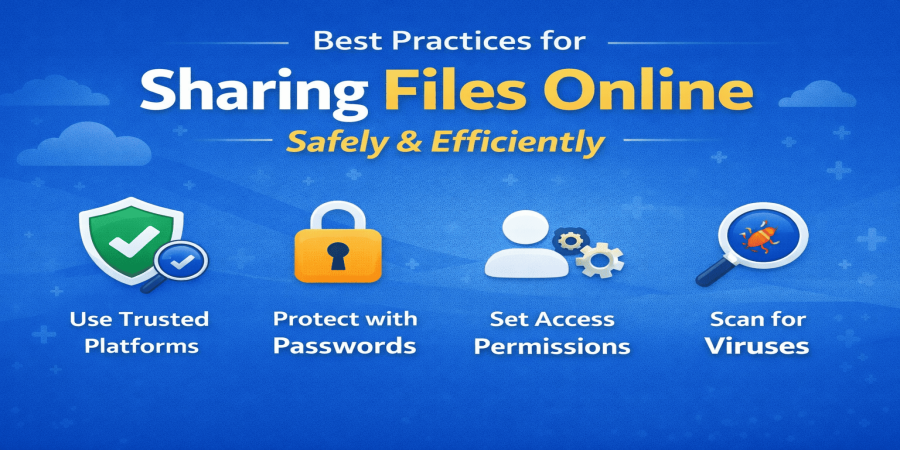
Best Practices for Sharing Files Online Safely and Efficiently
Mar 28, 2026 10:08 AM
Leandro Neto
Best Practices for Sharing Files Online Safely and Efficiently
Sharing files online has become an essential part of daily life, whether for personal, professional, or academic purposes. However, many users still overlook important practices that ensure security, organization, and efficiency. In this article, you will learn the best practices for sharing files online safely while improving user experience and protecting your data.
Why Is Secure File Sharing Important?
When you upload or share files on the internet, you may be exposed to several risks, including:
-
Data breaches and leaks
-
Unauthorized access
-
Malware distribution
-
Legal issues related to copyright
For this reason, following best practices is not optional — it is crucial for anyone using file-sharing services.
1. Use Trusted Platforms
The first step to secure file sharing is choosing a reliable platform. Not all services offer proper protection, and some may expose your data without your knowledge.
Look for platforms that provide:
-
Data encryption
-
Access control features
-
Strong reputation
-
Regular security updates
Avoid using unknown or suspicious websites that lack transparency about their privacy policies.
2. Protect Files with Passwords
One of the simplest and most effective ways to enhance security is by protecting your files with a password.
Best practices include:
-
Adding a password before uploading files
-
Using strong passwords (letters, numbers, symbols)
-
Sharing passwords separately from the file link
This significantly reduces the risk of unauthorized access.
3. Set Access Permissions
Not every file should be accessible to everyone. It is important to control who can view, edit, or download your files.
You should:
-
Restrict access to specific users
-
Define permissions (view-only or edit access)
-
Revoke access when it is no longer needed
This is especially important for business or sensitive documents.
4. Avoid Sharing Copyrighted or Illegal Content
Sharing copyrighted content without permission can lead to serious legal consequences.
Avoid uploading or distributing:
-
Pirated movies, music, or software
-
Protected content without authorization
-
Confidential third-party documents
Besides legal risks, this can negatively impact your website’s credibility and approval in monetization programs.
5. Use Expiring Links
A highly recommended practice is to use links that expire after a certain period.
Benefits include:
-
Reduced risk of long-term unauthorized access
-
Better control over file distribution
-
Improved privacy and security
Whenever possible, set expiration dates for shared links.
6. Scan Files Before Uploading
Before uploading any file, always ensure it is safe and clean.
Make sure to:
-
Scan files with antivirus software
-
Remove unnecessary or sensitive data
-
Double-check the content
This helps prevent malware distribution and protects recipients.
7. Keep Files Organized
Good organization improves usability and professionalism.
Helpful tips:
-
Use clear and descriptive file names
-
Organize files into folders
-
Avoid duplicate or unnecessary files
An organized system makes it easier for users to find what they need.
8. Avoid Unnecessarily Large Files
Large files can slow down uploads and downloads and consume more resources.
To improve efficiency:
-
Compress files when possible
-
Use optimized formats
-
Split large files into smaller parts
This ensures faster and smoother file sharing.
9. Use Secure Connections
Always use secure networks when uploading or downloading files.
Avoid:
-
Public, unsecured Wi-Fi networks
-
Unknown devices
Prefer:
-
Private networks
-
HTTPS-secured connections
This reduces the risk of data interception.
10. Educate Your Users
If you manage a file-sharing platform or website, educating users is essential.
You can provide:
-
Security guidelines
-
Warning messages about risks
-
Usage recommendations
This increases user trust and enhances your platform’s credibility.
Benefits of Following Best Practices
By applying these practices, you can achieve:
-
Stronger data protection
-
Better user experience
-
Increased trust and credibility
-
Reduced legal risks
-
Higher chances of approval in monetization platforms
Conclusion
Sharing files online is simple, but doing it correctly requires responsibility. By following these best practices, you ensure not only security but also efficiency and professionalism.
Whether you are an individual user or managing a file-sharing website, focusing on security, organization, and responsible usage is essential. These factors significantly improve your website’s quality and make it more reliable for users and platforms alike.
Start implementing these strategies today to create a safer and more effective file-sharing environment, and position your website for long-term success.
Login or create account to leave comments
Popular articles

Optimizing Digital Work: How Cloud Storage, File Sharing, an...
Dec 14, 2025 04:08 PM

Upload and Share Your Files with Ango Files
Dec 14, 2025 03:45 PM

Best Secure Cloud Storage for Business in 2026
Jan 17, 2026 11:19 AM

Best Free Cloud Storage Services in 2026
Apr 03, 2026 07:01 AM

How to Send Large Files Over the Internet for Free (Complete...
Mar 30, 2026 05:19 PM
Categories
Comments (0)