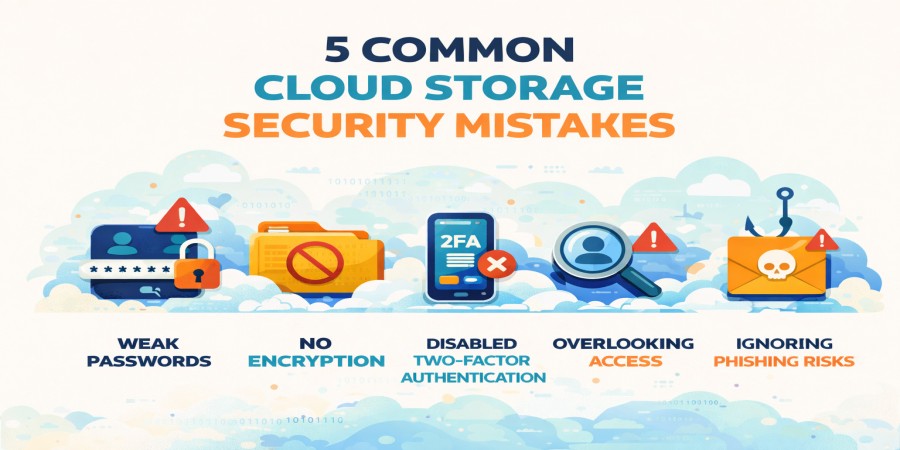
5 Common Cloud Storage Security Mistakes (And How to Avoid Them)
Mar 31, 2026 04:17 PM
Leandro Neto
5 Common Cloud Storage Security Mistakes (And How to Avoid Them)
Cloud storage has become an essential tool for storing, sharing, and managing files online. From personal photos to business documents, millions of users rely on cloud platforms every day.
However, despite advanced security systems used by many providers, users often make simple mistakes that can put their data at risk.
Understanding these mistakes is the first step toward improving your cloud security. Services like AngoFiles also provide secure environments for storing and sharing files, but avoiding common mistakes remains essential.
Below are five common cloud storage security mistakes and how you can avoid them.
1. Using Weak Passwords
One of the most common security mistakes is using simple or predictable passwords.
Passwords such as:
- 123456
- password
- qwerty
are extremely easy for hackers to guess.
How to Avoid It
Create strong passwords that include:
- uppercase and lowercase letters
- numbers
- special characters
Using a password manager can also help generate and store secure passwords.
2. Not Enabling Two-Factor Authentication
Many users skip enabling two-factor authentication (2FA) even when it is available.
Without this extra layer of protection, anyone who obtains your password can access your account.
How to Avoid It
Always activate two-factor authentication on your cloud storage account.
This requires a second verification step, such as a code sent to your phone or an authentication app.
3. Sharing Files Publicly Without Restrictions
Cloud storage makes file sharing easy, but public links can expose sensitive information if not managed properly.
If a file link becomes public, anyone with the link may access it.
How to Avoid It
When sharing files online:
- limit access to specific users
- use password-protected links
- set expiration dates for shared files
These options reduce the chances of unauthorized access.
4. Ignoring Software and Security Updates
Outdated devices and applications may contain security vulnerabilities that hackers can exploit.
Many people ignore updates for their operating systems, browsers, or cloud storage apps.
How to Avoid It
Always keep your:
- operating system
- cloud storage apps
- web browsers
updated with the latest security patches.
Updates often fix security weaknesses and improve overall protection.
5. Accessing Cloud Storage on Unsafe Networks
Using public Wi-Fi networks can expose your login credentials and sensitive data to cybercriminals.
Hackers may intercept data transmitted through unsecured networks.
How to Avoid It
When accessing cloud storage:
- avoid public Wi-Fi whenever possible
- use a secure VPN connection
- ensure the website uses HTTPS encryption
These precautions help protect your data during transmission.
Why Avoiding These Mistakes Is Important
Cloud storage is one of the safest and most convenient ways to store digital files, but user behavior plays a critical role in security.
By avoiding these common mistakes, users can greatly reduce the risk of:
- data breaches
- account hacking
- unauthorized file access
Platforms like AngoFiles combine modern security technologies with reliable infrastructure, helping users store and share files safely online.
Conclusion
Cloud storage security depends on both the provider and the user. While cloud platforms offer strong protection systems such as encryption and secure servers, simple user mistakes can still create vulnerabilities.
By using strong passwords, enabling two-factor authentication, managing file sharing carefully, updating software, and avoiding unsafe networks, you can significantly improve your cloud storage security.
Following these practices ensures that your files remain protected while enjoying the convenience of cloud storage.
Looking for a safe and reliable place to store your files online?
Start using AngoFiles to upload, manage, and share files securely from anywhere.
Visit now:
https://angofiles.com
Login or create account to leave comments
Popular articles

Optimizing Digital Work: How Cloud Storage, File Sharing, an...
Dec 14, 2025 04:08 PM

Upload and Share Your Files with Ango Files
Dec 14, 2025 03:45 PM

Best Secure Cloud Storage for Business in 2026
Jan 17, 2026 11:19 AM

Best Free Cloud Storage Services in 2026
Apr 03, 2026 07:01 AM

How to Send Large Files Over the Internet for Free (Complete...
Mar 30, 2026 05:19 PM
Categories
Comments (0)