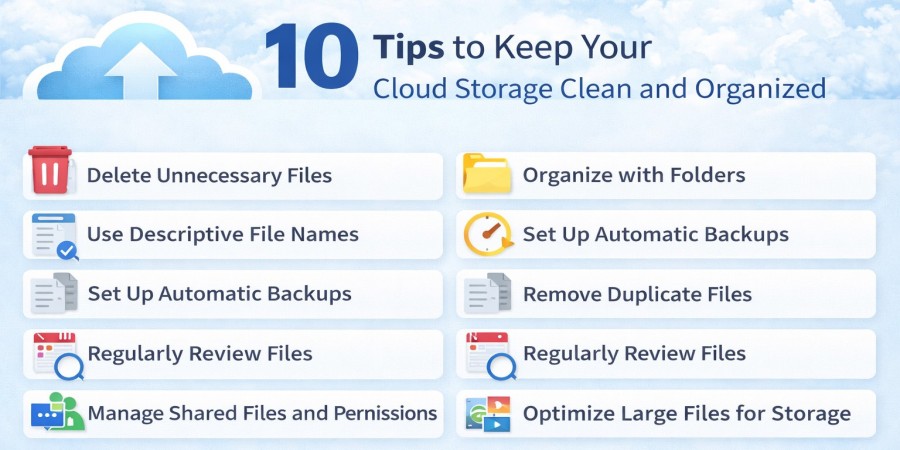
10 Tips to Keep Your Cloud Storage Clean and Organized
Apr 01, 2026 05:51 AM
Leandro Neto
10 Tips to Keep Your Cloud Storage Clean and Organized
Cloud storage has become an essential tool for managing digital files. From documents and photos to videos and project files, many users rely on cloud platforms to store important information securely.
However, without proper organization, cloud storage can quickly become cluttered. Files pile up, duplicates appear, and important documents become difficult to locate.
Keeping your cloud storage clean and organized improves productivity, saves time, and ensures that important files are always easy to find.
Platforms like AngoFiles allow users to store and manage files online efficiently while maintaining easy access from anywhere.
Here are 10 practical tips to keep your cloud storage organized and efficient.
1. Create a Clear Folder Structure
A well-structured folder system is the foundation of organized cloud storage.
Instead of storing all files in one place, create categories such as:
Work
- Projects
- Reports
- Presentations
Personal
- Documents
- Photos
- Videos
This structure makes it easier to locate files quickly.
2. Use Descriptive File Names
Clear file names help you understand the content of a file without opening it.
Avoid names like:
- file1
- document_new
- final_version
Instead, use names like:
- Marketing_Report_January_2026
- Family_Photos_Trip_2025
- Client_Project_Presentation
Descriptive naming reduces confusion and improves search results.
3. Delete Unnecessary Files
Over time, many files become irrelevant or outdated.
Regularly review your cloud storage and remove files that are no longer needed.
This helps free up storage space and keeps your folders organized.
4. Remove Duplicate Files
Duplicate files are one of the most common causes of storage clutter.
They often appear when files are downloaded multiple times or saved in different folders.
Check your storage periodically and delete duplicate copies to keep your system clean.
5. Use Subfolders for Large Projects
Large projects often include many related files.
Creating subfolders keeps everything structured.
Example:
Website Redesign Project
- Images
- Documents
- Videos
- Design Files
This keeps project files grouped together.
6. Archive Old Files
Not every file needs to remain in your main workspace.
Create an Archive folder for older files that you still want to keep.
Example:
Archive
- 2023 Documents
- 2024 Projects
- Old Photos
This keeps your active folders clean and focused.
7. Organize Files Immediately After Uploading
One common mistake is uploading files and organizing them later.
Instead, place files in the correct folder immediately after uploading them.
This simple habit prevents clutter from building up over time.
8. Use Search Features Effectively
Most cloud storage platforms include powerful search tools.
Using keywords or file types can help locate files quickly without manually browsing folders.
Combining good naming practices with search features makes file management much easier.
9. Review Your Storage Regularly
Set a routine to review your storage every few months.
During this review, you can:
- remove unnecessary files
- rename unclear documents
- reorganize folders
- archive old content
Regular maintenance keeps your system efficient.
10. Keep Personal and Work Files Separate
Mixing personal and work files can create confusion.
Keeping them in separate folders improves organization and makes navigation easier.
Example:
Work Files
Personal Files
This simple separation improves clarity in your storage system.
Benefits of Keeping Cloud Storage Organized
Maintaining an organized cloud storage system offers several advantages:
Faster File Access
Files can be located quickly without searching through clutter.
Better Productivity
Users spend less time looking for documents.
Efficient Storage Usage
Removing unnecessary files frees up space.
Improved Collaboration
Organized files are easier to share with others.
Using a reliable platform like AngoFiles helps users maintain a structured and efficient digital workspace.
Conclusion
Keeping your cloud storage clean and organized is essential for efficient file management. By creating clear folders, using descriptive file names, and regularly reviewing your files, you can maintain a structured and productive storage system.
Small organizational habits can make a big difference over time.
With the right approach and a reliable cloud storage platform such as AngoFiles, managing digital files becomes easier, faster, and more efficient.
🚀 Start Organizing Your Files Today
Ready to take control of your digital storage?
Upload, organize, and manage your files securely with AngoFiles.
✔ Store large files safely
✔ Access your files from anywhere
✔ Share files quickly and easily
Start now and simplify the way you manage your files online.
👉 Visit: https://angofiles.com
Login or create account to leave comments
Popular articles

Optimizing Digital Work: How Cloud Storage, File Sharing, an...
Dec 14, 2025 04:08 PM

Upload and Share Your Files with Ango Files
Dec 14, 2025 03:45 PM

Best Secure Cloud Storage for Business in 2026
Jan 17, 2026 11:19 AM

Best Free Cloud Storage Services in 2026
Apr 03, 2026 07:01 AM

How to Send Large Files Over the Internet for Free (Complete...
Mar 30, 2026 05:19 PM
Categories
Comments (0)